How-to: Use UI tags in Ceph Admin
When to use
Use UI tags in Ceph Admin > Buckets to organize working sets for investigations, cleanups, migrations, or operations campaigns.
Prerequisites
- Access to
/ceph-admin/buckets. - An endpoint selected in Ceph Admin.
Before you start
Use UI tags for operational grouping, not as S3 tags. UI tags are persisted by BucketReef. Bucket assignments remain isolated by Ceph endpoint, while visible definitions can be reused on another endpoint. A Private definition belongs to you; a Shared definition and its assignments are visible and manageable by Ceph Admins. UI tag names are unique across the Ceph Admin namespace, ignoring letter case.
Steps
- Open Ceph Admin > Buckets.
- Select one or more buckets in the table.
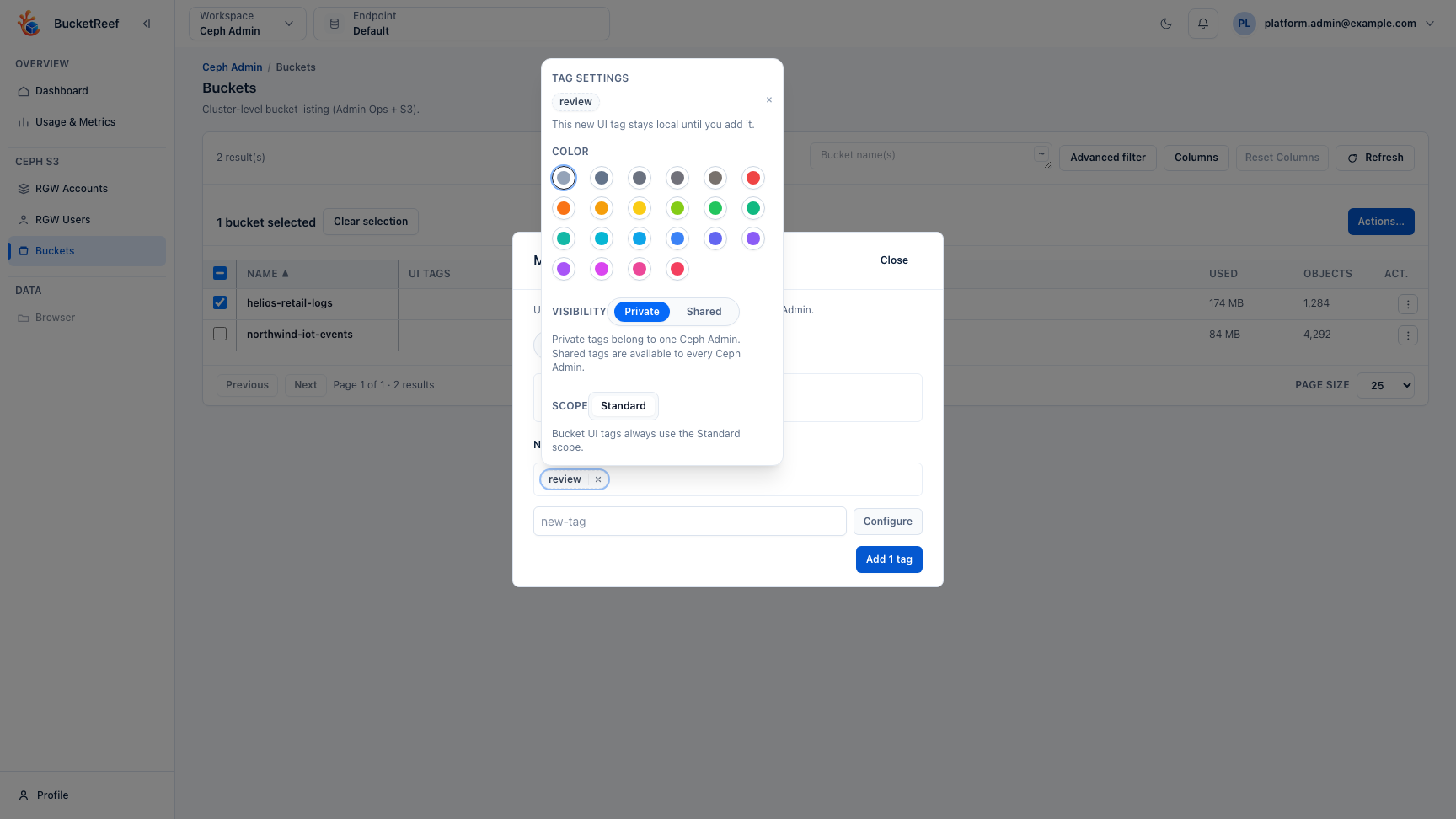
- Open Actions… > Selection > Manage UI tags…, then choose Add tags:
- Pick an existing suggestion, or
- Enter one or more comma-separated names in the
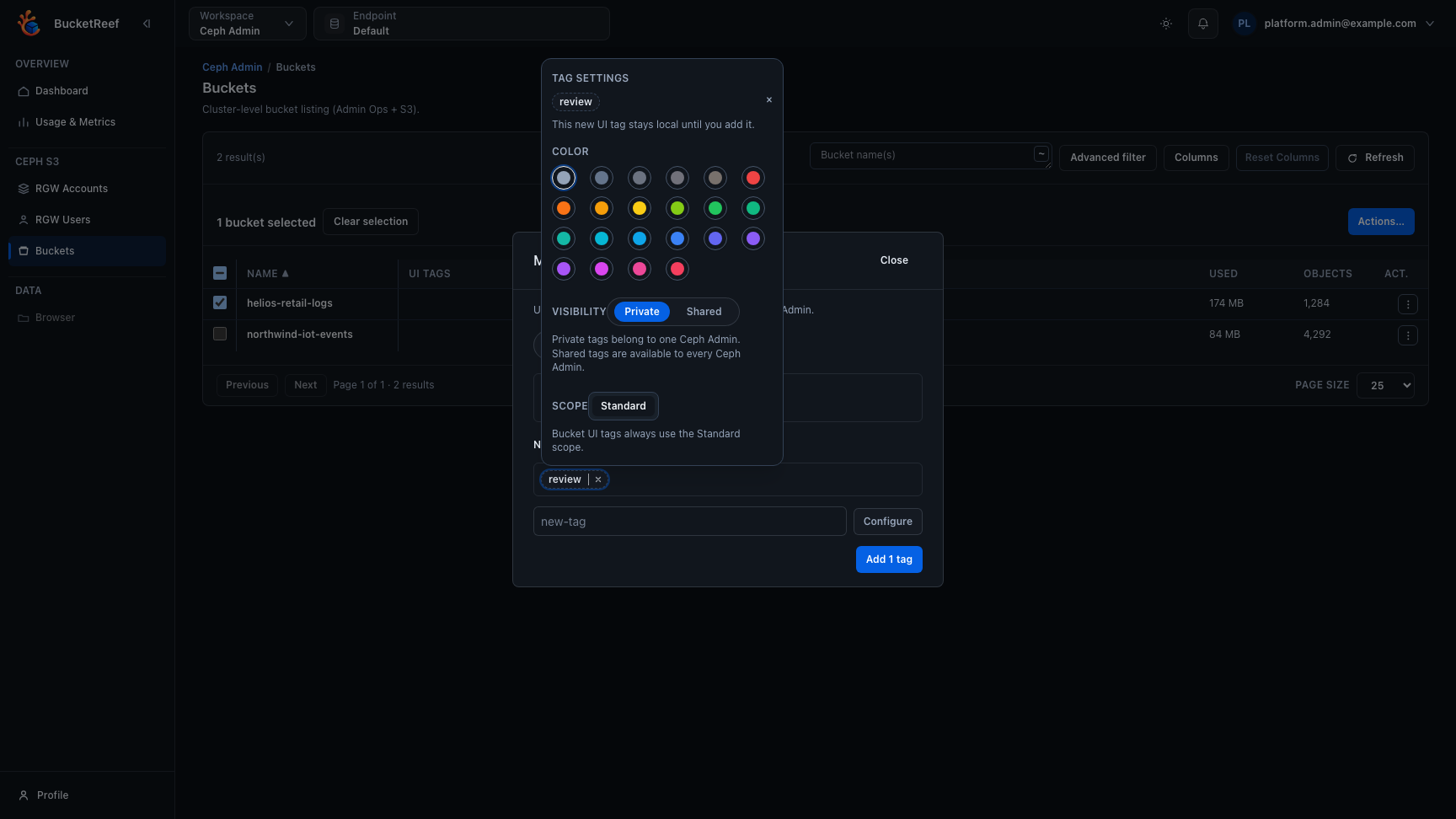
new-taginput and select Configure. Each new tag starts with the neutral color and Private visibility. - Select a tag badge to open Tag settings:
- choose a color from the shared UI tag palette;
- keep Private, or choose Shared when the whole Ceph Admin team should use it;
- confirm a visibility change on an existing definition. Its identifier and bucket associations are preserved.
- In the same dialog, choose Remove tags to remove tags from the current selection.
- Reuse UI tags to filter and manage recurring operational groups.
Expected result
Selected buckets receive persistent UI tags that can be reused from another browser or session. Private tags use a dashed outline and Shared tags use a solid outline. The full visibility is available in the tag settings, tooltip, and accessible label without adding a visible suffix to the badge.
You are done when
The selected rows show the intended UI tags and the tag filter can recover the same working set.
If you do not see this action
Check that rows are selected and that you are on the Ceph Admin bucket workbench.
Limits / feature flags
Note
UI tags are BucketReef control-plane metadata. They never call or modify the S3 Tags API. View preferences stay local, but UI-tag filters store definition identifiers.
Changing a color updates the persisted definition immediately. Converting a Shared definition to Private assigns it to the Ceph Admin performing the conversion. A reserved name that belongs to another private definition cannot be reused.
Related pages
Visual example