How-to: Clean Up Abandoned Multipart Uploads at Scale
Use this workflow when incomplete multipart uploads accumulate across a family of buckets and consume storage that applications no longer need.
The example targets development ingest buckets that do not already abort incomplete multipart uploads after seven days.
Scenario
Assume the endpoint contains many ingest-dev-* buckets. Upload clients create
multipart uploads for large files, but interrupted jobs sometimes leave parts
behind indefinitely.
The objective is to identify buckets without a suitable cleanup rule, group them for review, and add this lifecycle rule:
{
  "ID": "abort-incomplete-multipart-7d",
  "Status": "Enabled",
  "Filter": {
    "Prefix": ""
  },
  "AbortIncompleteMultipartUpload": {
    "DaysAfterInitiation": 7
  }
}
Prerequisites
- Access to Ceph Admin > Buckets.
- A selected endpoint that allows S3 lifecycle configuration.
- Agreement on the maximum age of incomplete uploads for the target workload.
Warning
Aborting an incomplete multipart upload removes its uploaded parts. Confirm that applications are not expected to resume uploads older than the chosen threshold.
1. Find buckets that need a rule
- Open Ceph Admin > Buckets.
- Use Quick filter for
ingest-dev-or the naming convention used by the target workload. - Open Advanced filter.
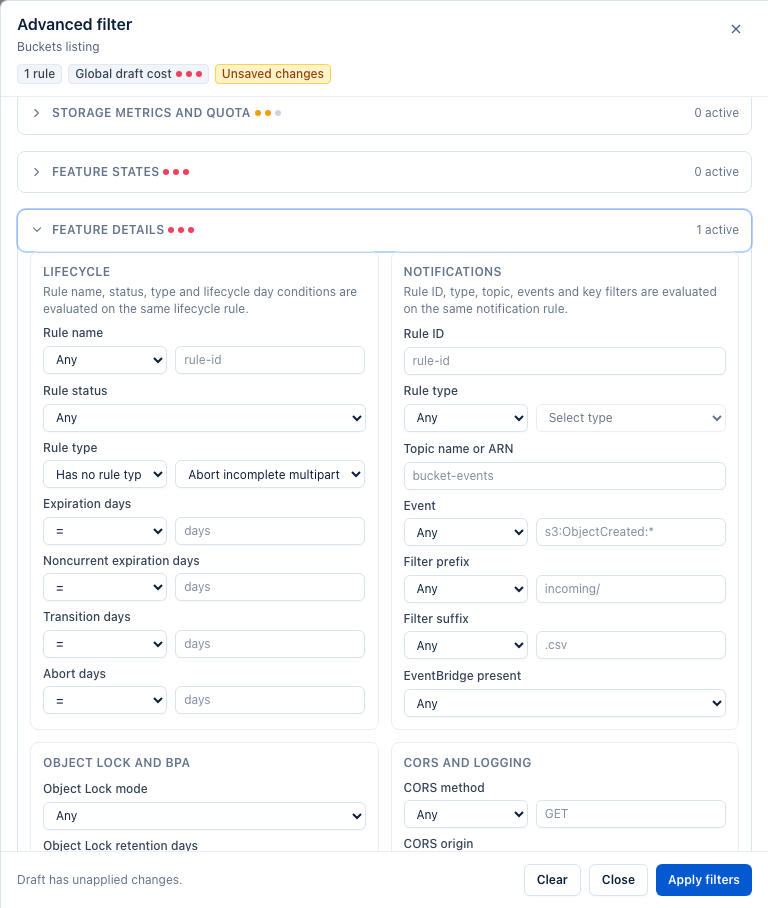
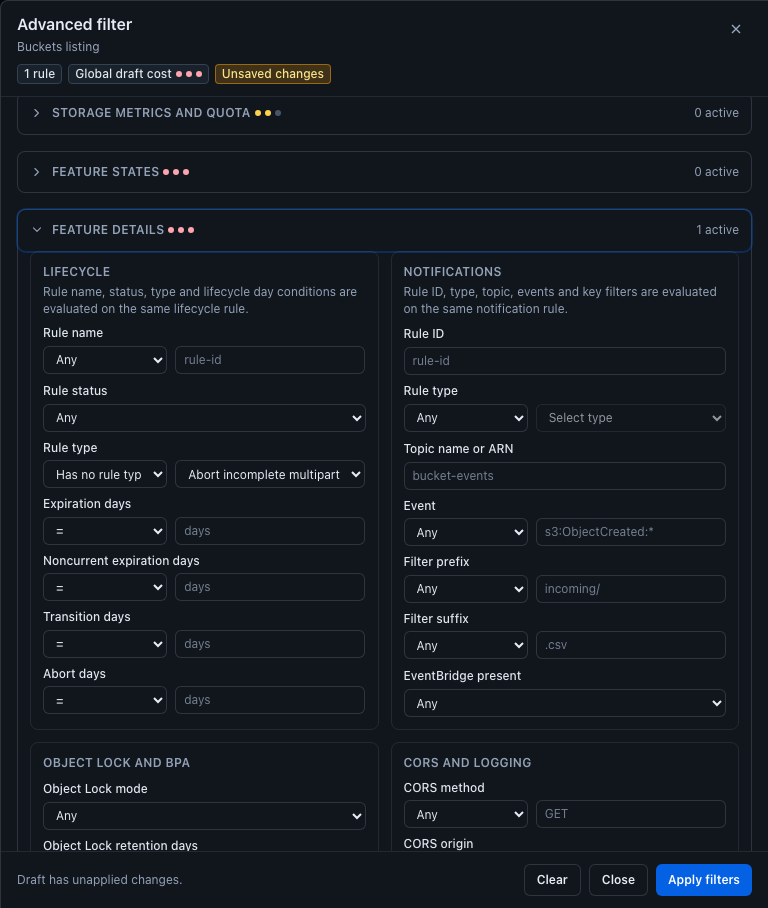
- Use lifecycle detail criteria to identify buckets where incomplete multipart cleanup is absent, disabled, or uses a threshold longer than your operational standard.
- Review the resulting rows and exclude any bucket whose application has a different upload-resume requirement.
The lifecycle detail filters include incomplete multipart cleanup presence and days after initiation, so the campaign can be based on actual configuration rather than bucket names alone.
2. Mark the review set
- Select the filtered buckets.
- Open Actions… > Selection > Manage UI tags….
- Add a shared tag such as
multipart-cleanup-review.
The UI tag makes it easy to recover the exact working set while another operator validates application expectations.
3. Back up lifecycle configuration
Keep the reviewed selection and use Actions… > S3 API > Back up bucket configurations…. Include Lifecycle in the backup and retain the export with the change record.
4. Preview the cleanup rule
- Open Actions… > S3 API > Configure selected buckets….
- Choose Add or update lifecycle rules.
- Paste the
abort-incomplete-multipart-7drule above into Lifecycle rules (JSON). - Leave Only update rules that already exist (do not add new rules) disabled when missing rules should be added.
- Click Preview.
BucketReef merges lifecycle rules by rule identifier. Rules with other IDs are preserved. Review representative Before / After results and do not apply until the preview reports no errors.
5. Apply and verify
- Click Apply changes after the preview matches the approved target set.
- Wait for the bulk operation to complete and review failed buckets individually.
- Refresh Ceph Admin > Buckets.
- Reopen Advanced filter and filter for incomplete multipart cleanup with a seven-day threshold.
- Confirm that every campaign bucket now matches.
Re-running the same bulk preview should show the selected buckets as unchanged once the rule is standardized.
Limits / feature flags
Note
Lifecycle processing in RGW is asynchronous. The rule prevents future incomplete uploads from remaining indefinitely, but cleanup is not an immediate synchronous delete operation.